
IPv4 / IPv6
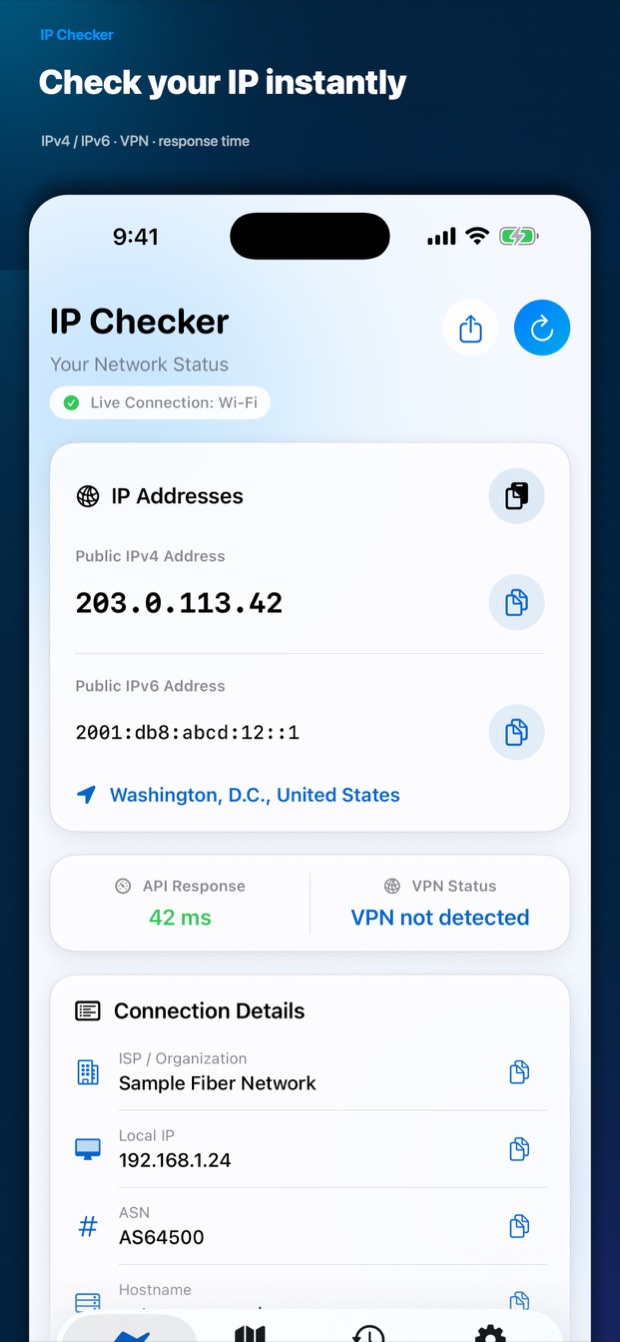
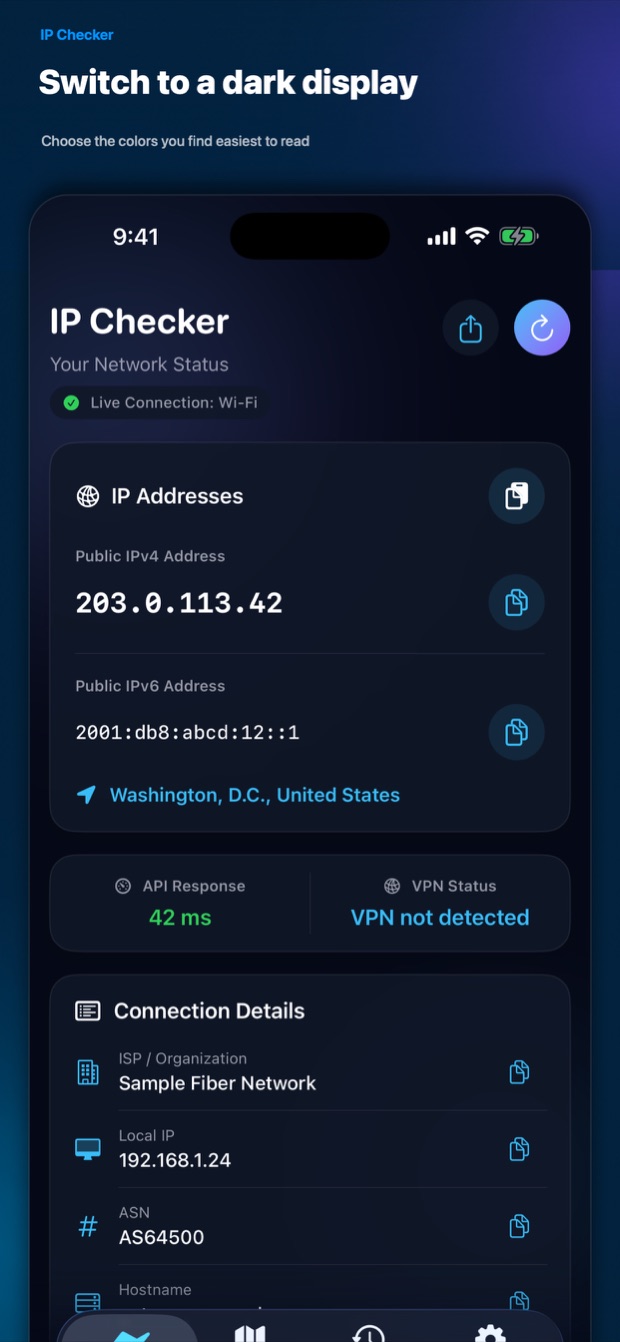
Your public IP addresses are displayed prominently and can be copied with one tap.

NETWORK AT A GLANCE
Your IP and connection,
clear in one tap.
See IPv4/IPv6, VPN status, ISP, and your connection destination on one screen. The essentials stay clear, even if networking is new to you.
WHY IP CHECKER
Open the app to retrieve your public IP and connection details. Verify a VPN, check an IP after switching Wi-Fi, or look up your ISP and time zone without a complicated setup.
APP PREVIEW
FEATURES
Your public IP addresses are displayed prominently and can be copied with one tap.
Estimate whether the current connection uses a VPN and see the API response time.
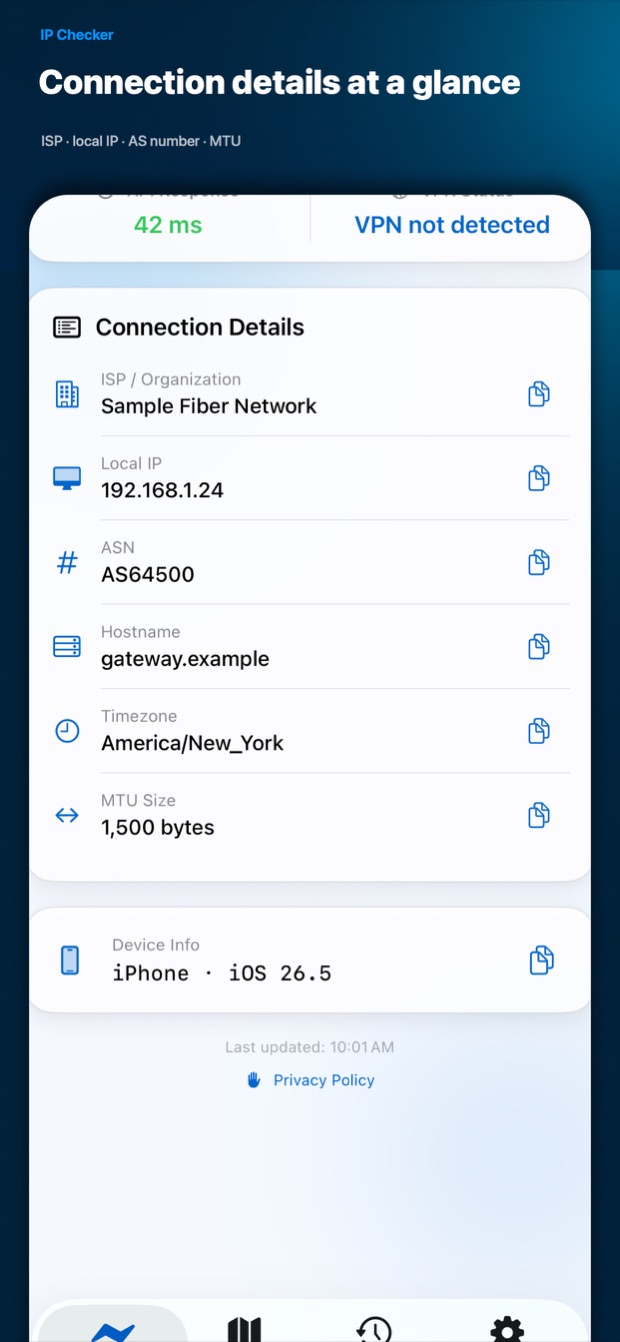
Review your ISP, local IP, hostname, ASN, time zone, and MTU in one place.
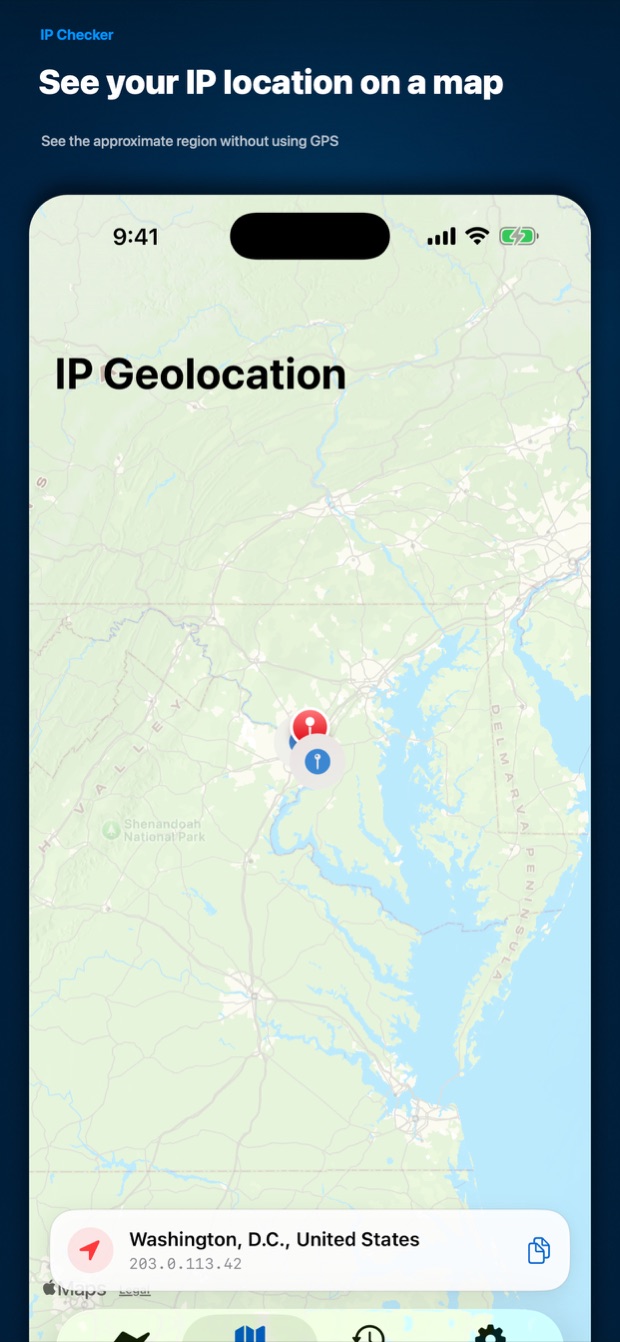
See an approximate IP-based region on a map without granting GPS permission.
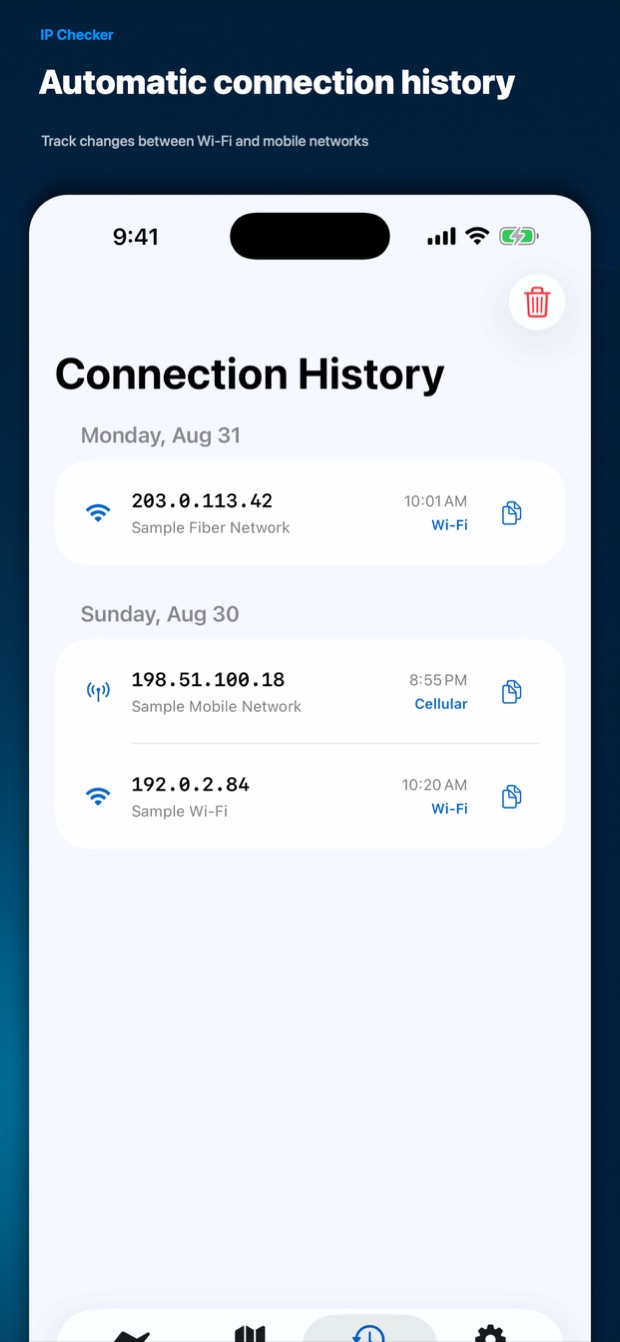
Store up to 50 connection changes on your device and delete them individually or together.
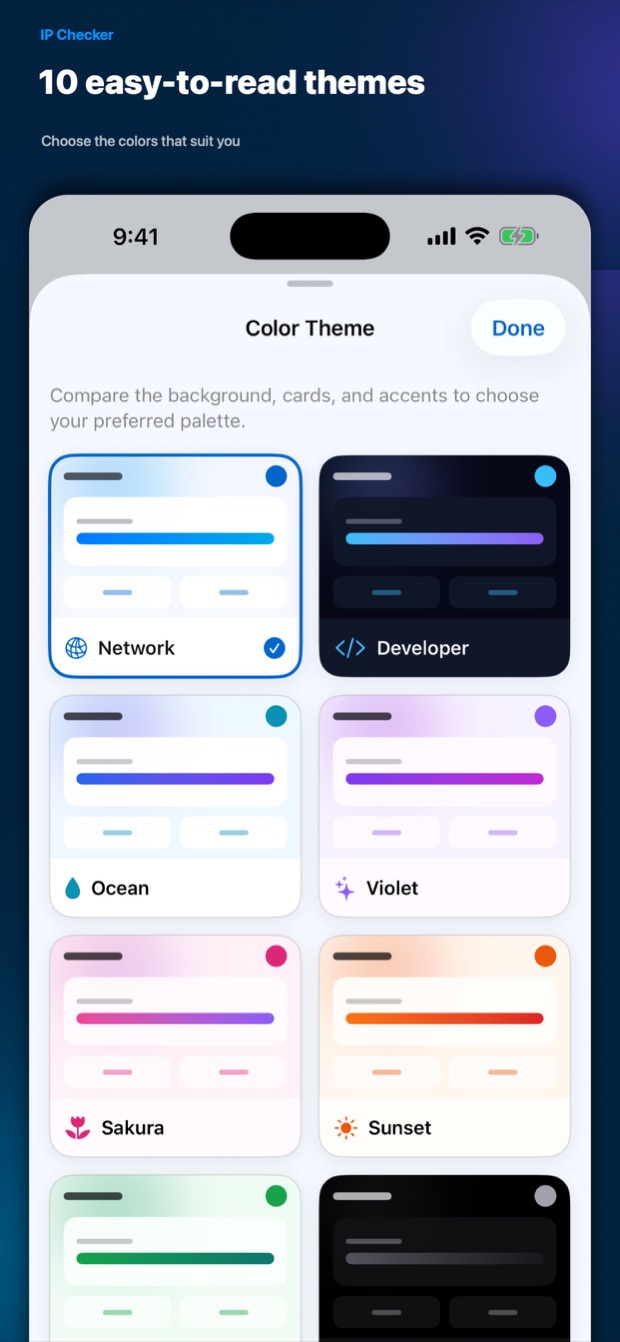
Choose from Network, Developer, 404 Not Found, and seven other distinctive themes.
Switch languages inside the app, including English, Japanese, Korean, Chinese, Thai, and Turkish.
Copy individual values or share a complete network diagnostic report.
VPN status and IP geolocation are estimates based on available connection information. They cannot guarantee detection of every VPN or identify your device's precise physical location.
PRIVACY BY DESIGN
After consent, the app contacts IPWhois and ipify to retrieve your public IP and related information.
Up to 50 connection-history records stay on your device and can be deleted at any time.
The app contains no advertising, analytics, or user-tracking SDKs.
CHECK YOUR CONNECTION
SUPPORT
PRIVACY POLICY
This Privacy Policy explains how Resoto Apps ("we," "us") handles information in IP Checker (the "App"). The App does not require an account.
To display network diagnostics, the App uses your public IP address, ISP, ASN, time zone, approximate IP-based region, and the device's network-interface information.
After you acknowledge the in-app privacy notice, the App connects to the following services. Each service necessarily receives the public IP address used for the request.
We do not send or store network diagnostic information on servers operated by us.
The App uses Apple MapKit and reverse geocoding to display an approximate IP-based location. It does not request GPS or Location Services permission and does not obtain the device's precise physical location. Apple's services are governed by Apple's Privacy Policy.
Connection history—including public IPv4 address, ISP, date, connection type, and approximate IP-based coordinates—is stored only on your device, up to 50 records. Theme, app language, selected tab, privacy-notice acknowledgement, and review-prompt timing are also stored locally.
Connection history remains until you delete it from the History screen or uninstall the App. For request data retained by an external service, please refer to that service's policy.
Copying or sharing a diagnostic report occurs only when you choose those actions. The selected destination app or service handles shared data under its own privacy policy.
The App does not contain advertising, analytics, or user-tracking SDKs. It does not collect your name, phone number, email address, or similar identifying details from the App.
If this policy changes, the latest version and updated date will be posted on this page.
For privacy questions, contact [email protected].
Last Updated: September 1, 2026