
Features
Scan. Organize. Export.
Turn repetitive scanning into records you can use later. Manual entry keeps values in the same list when the camera cannot read them.
Read 12 code types
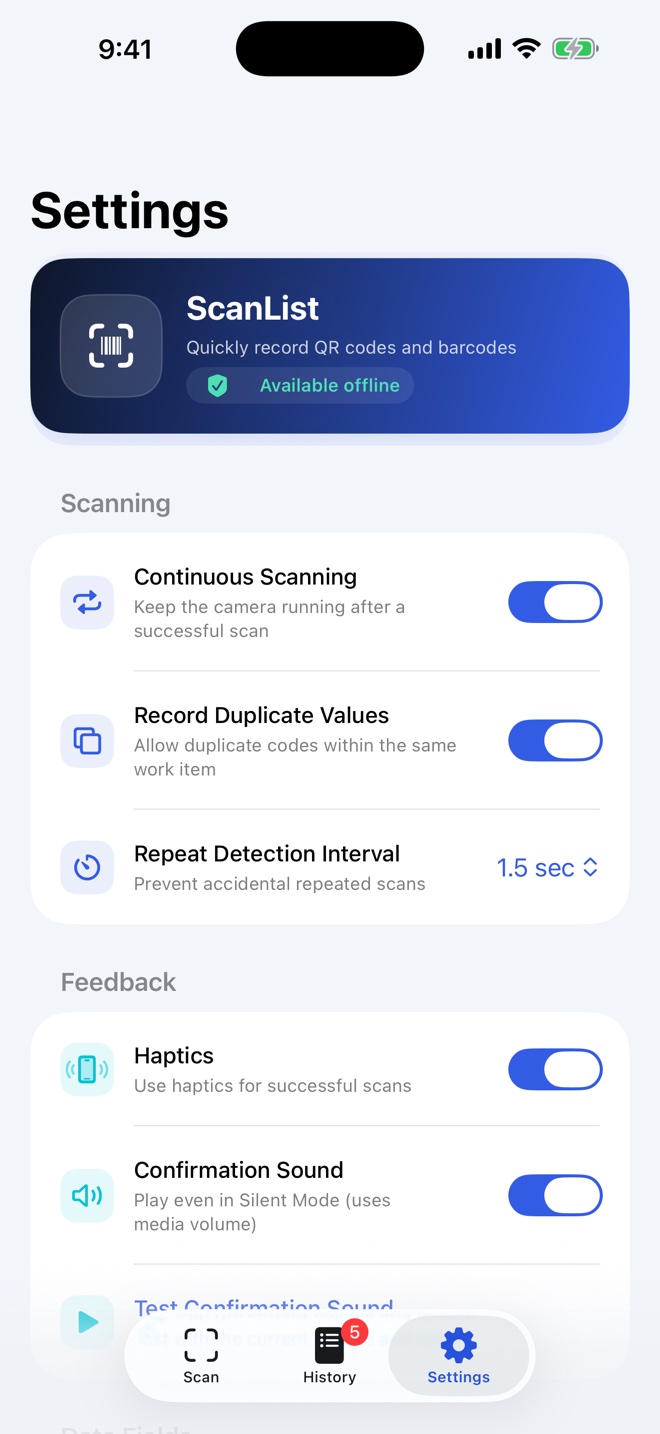
Scan QR, EAN-13, EAN-8, UPC-E, Code 128, Code 93, Code 39, ITF-14, Interleaved 2 of 5, PDF417, Aztec, and Data Matrix. Configure continuous scanning, duplicates, detection intervals, sound, and haptics.
Keep each job organized
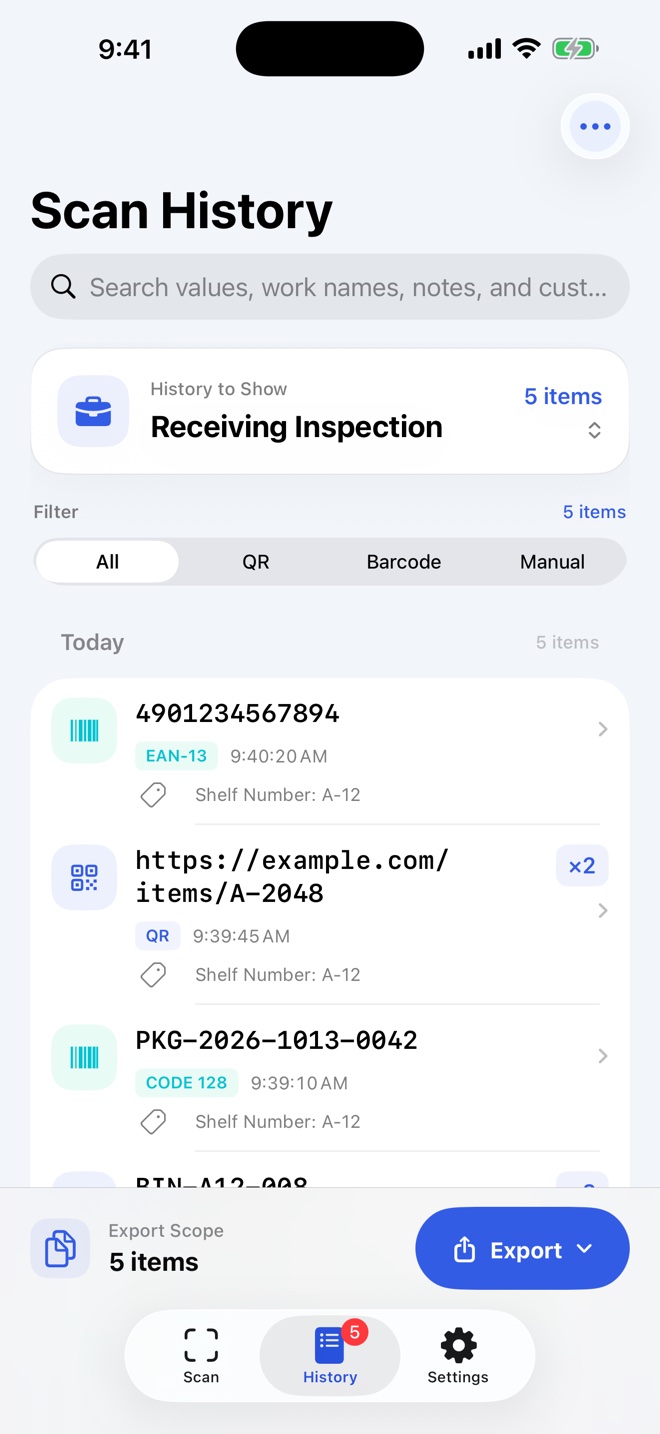
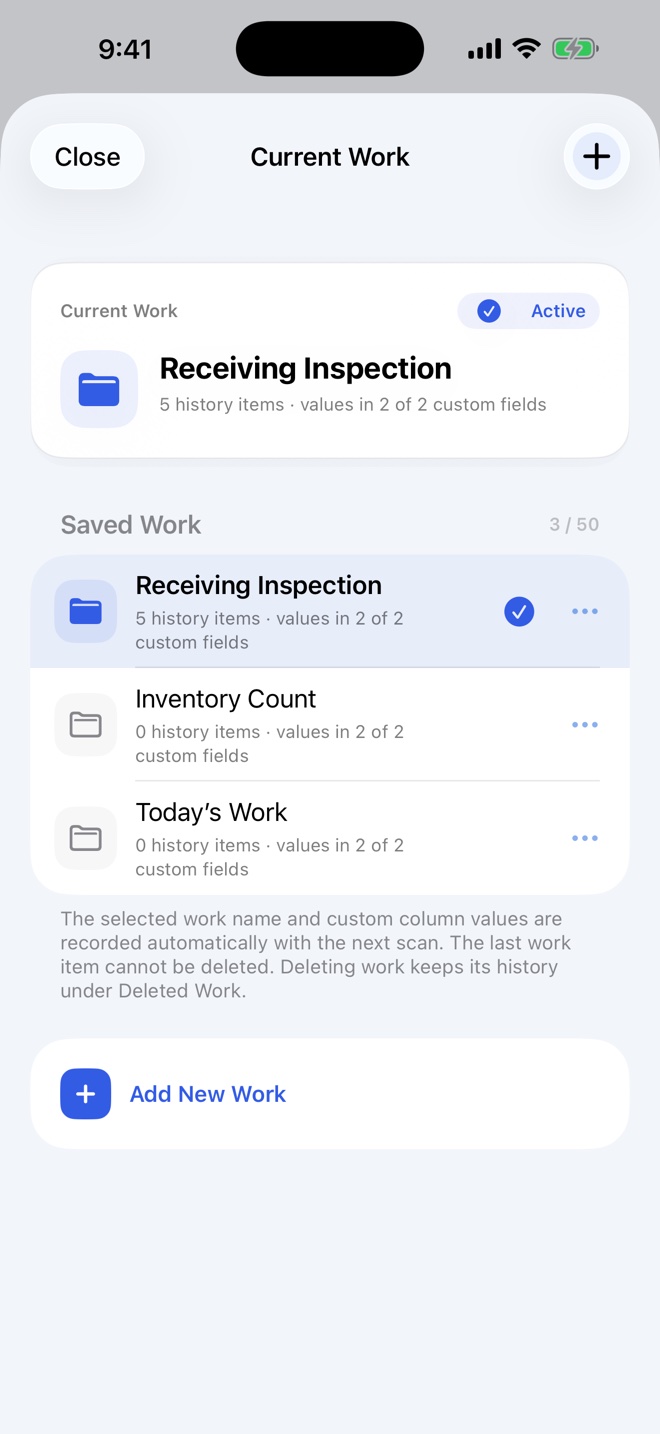
Save and switch between jobs for receiving, inventory counts, or different locations. Record quantities, notes, and custom fields, then search, filter, and edit your history.
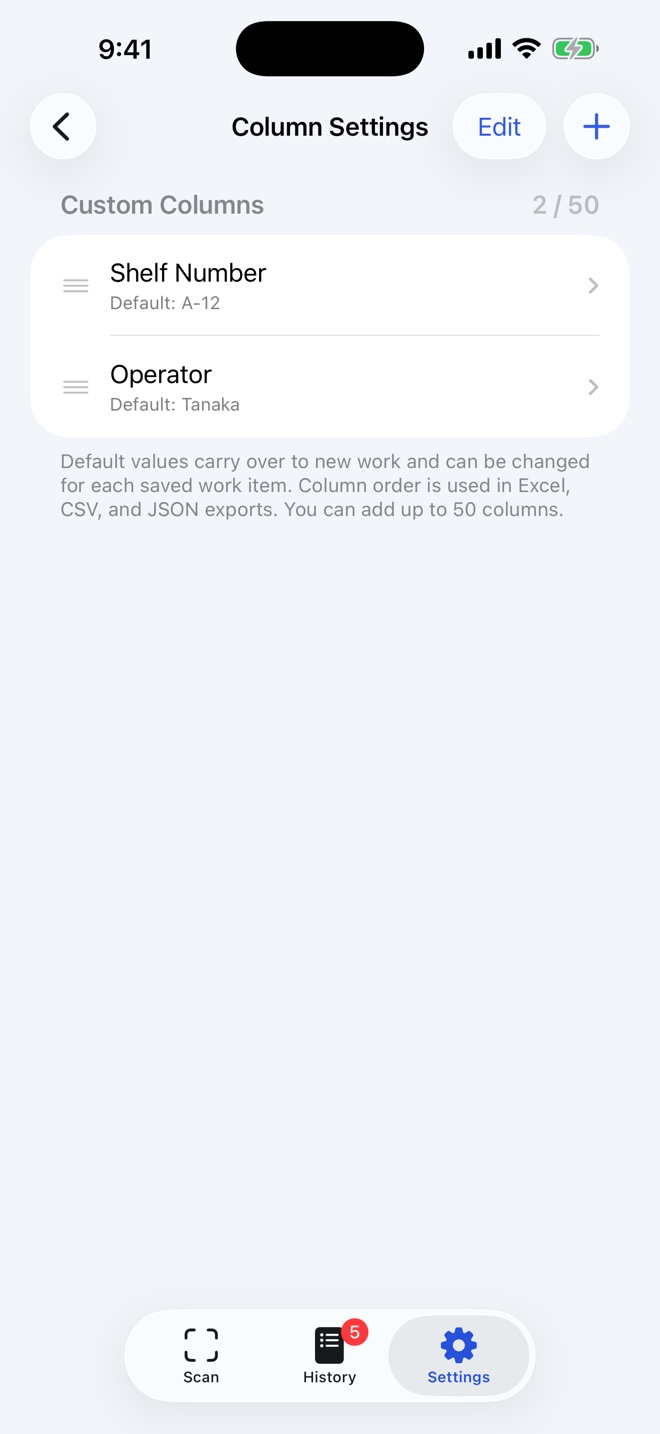
Add up to 50 custom columns
Create fields for shelves, operators, or lot numbers. Set defaults and change their values for each job. Your custom columns are included in Excel, CSV, and JSON exports.
Export to Excel, CSV, or JSON
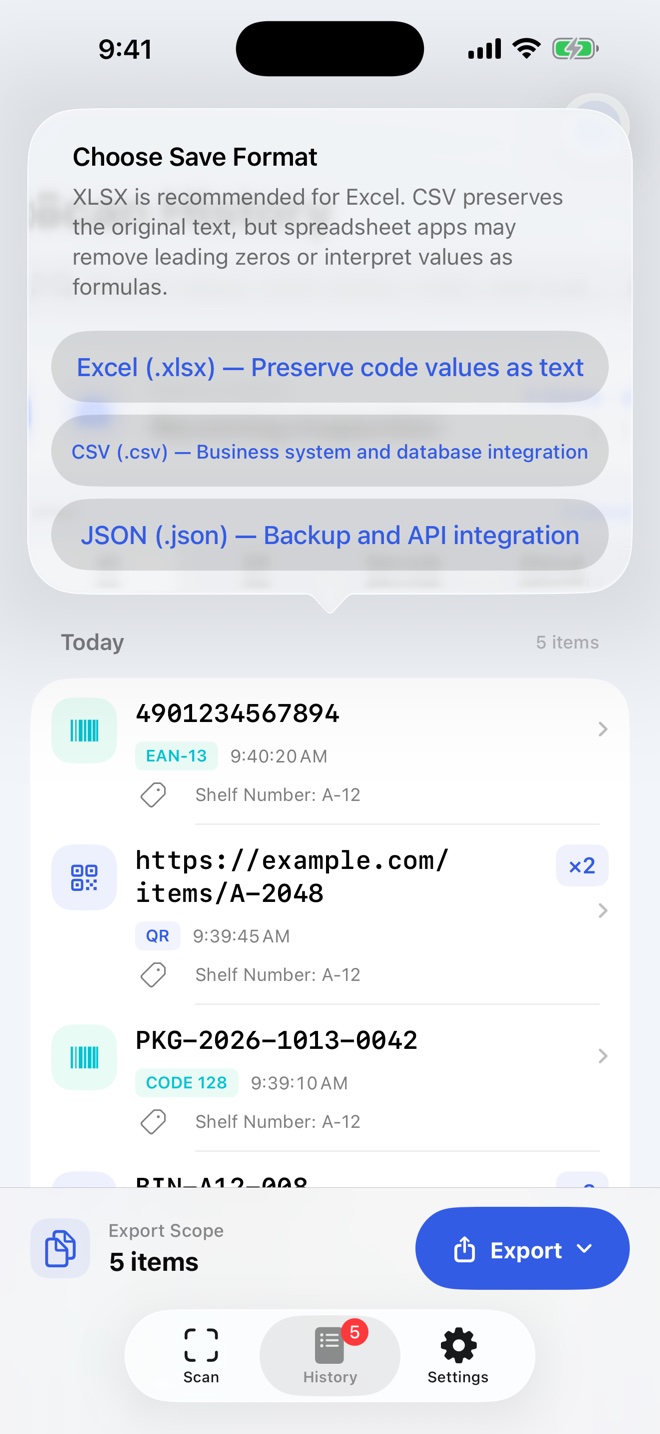
Export all or selected records, save a file, or attach it to an email. XLSX stores code values as text, keeping leading zeros intact.
Screenshots
From records on site to a useful list.
Actual screens from version 1.1.0. Select an image for a larger view. Job names, codes, and quantities are sample data.
Export formats
Three formats for your next step.
.xlsxExcel
A list for your spreadsheet. Codes are saved as text to preserve leading zeros.
.csvCSV
A file for your business tools. Exports original values with stable field names.
.jsonJSON
Structured data for other tools. The app does not send data to an API automatically.
App languages
Your everyday workflow, in ten languages.
Version 1.1.0 displays the interface and Excel headings in your iPhone’s selected app language. Arabic screens support a right-to-left layout.
1.1.0 · 10-language preview
- Japanese日本語
- EnglishEnglish
- Simplified Chinese简体中文
- Traditional Chinese繁體中文
- SpanishEspañol
- PortuguesePortuguês
- Korean한국어
- Arabicالعربية
- RussianРусский
- IndonesianBahasa Indonesia
Support
Help and contact
Frequently asked questions
Do I need an internet connection?
Scanning, manual entry, reviewing and editing history, and creating files work offline. Email and sharing to an external service may need a connection depending on your destination.
Can I record a value the camera cannot read?
Yes. Manual entries use the same history and can include quantities, notes, and custom columns in an export.
Can I keep leading zeros in Excel?
Choose Excel (XLSX) to store codes as text. A spreadsheet app may remove leading zeros when interpreting a CSV file, so use XLSX for Excel.
Is the ten-language version on the App Store?
This page previews version 1.1.0. The App Store currently lists English, Japanese, and Simplified Chinese. Seven additional languages are being prepared for release. Check the App Store for availability.
Is scan data sent anywhere automatically?
No. History and settings are stored on your device. Data is shared with your chosen destination when you export, email, or copy it.
Privacy
Privacy policy
This policy describes how Resoto Apps handles information in ScanList.
1. Information used by the app
The app uses camera access to scan codes. Scanned or entered values, job names, quantities, notes, custom fields, and settings are stored on your device.
2. How information is used
Stored information is used to display, search, and edit history, and to create or share files when you request those actions.
3. Sharing with third parties
Stored data is not automatically sent to the developer’s servers. When you export to Excel, CSV, or JSON, send email, or copy data, it is provided to your chosen destination or external service.
4. Data management
History and settings are stored on your device. You can delete history within the app. Removing the app also removes its locally stored data from that device.
5. Contact
For questions about this policy, contact [email protected].
Effective: August 24, 2026