FEATURES
Make room for the light.
These features are part of the upcoming 2.0.0 version. Choose a place and date to check sunset or plan time for photography.
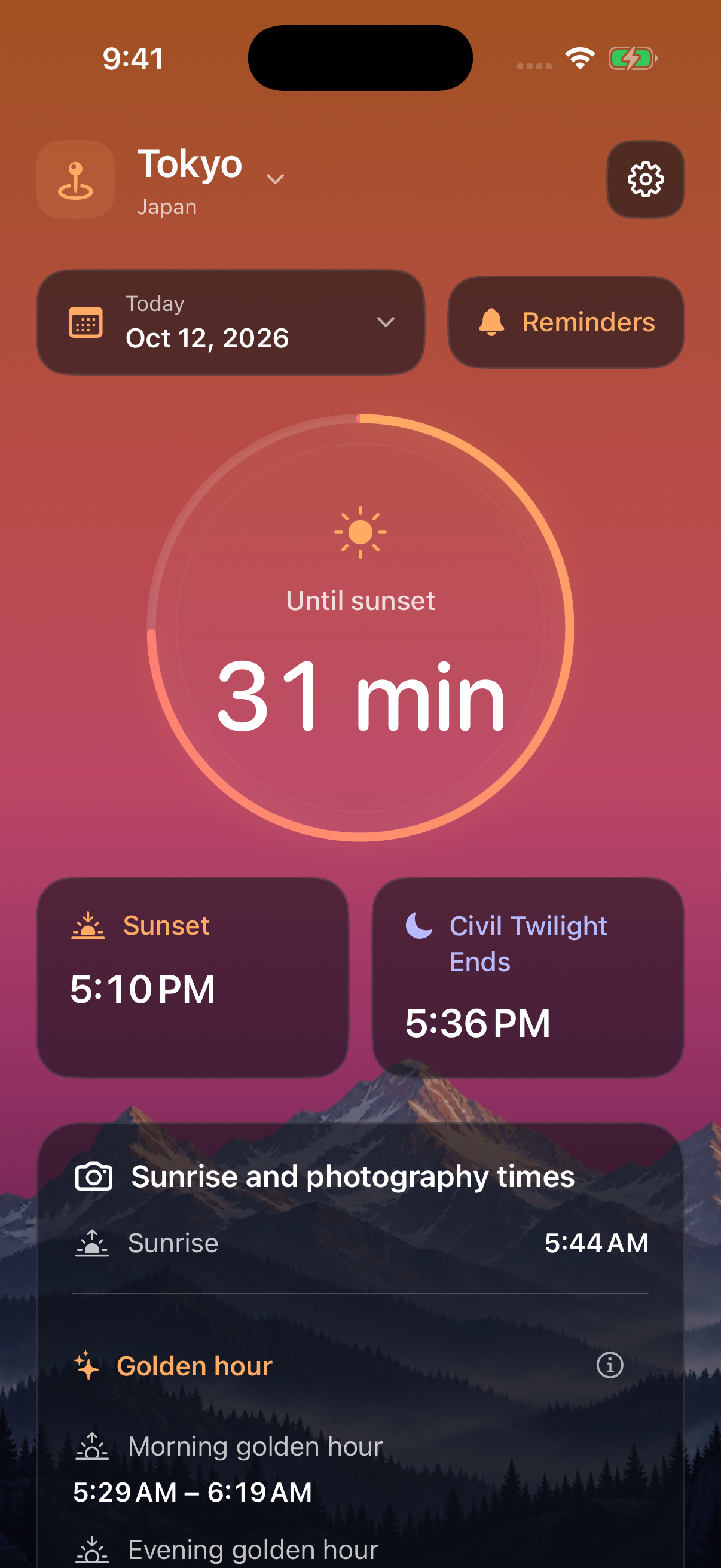
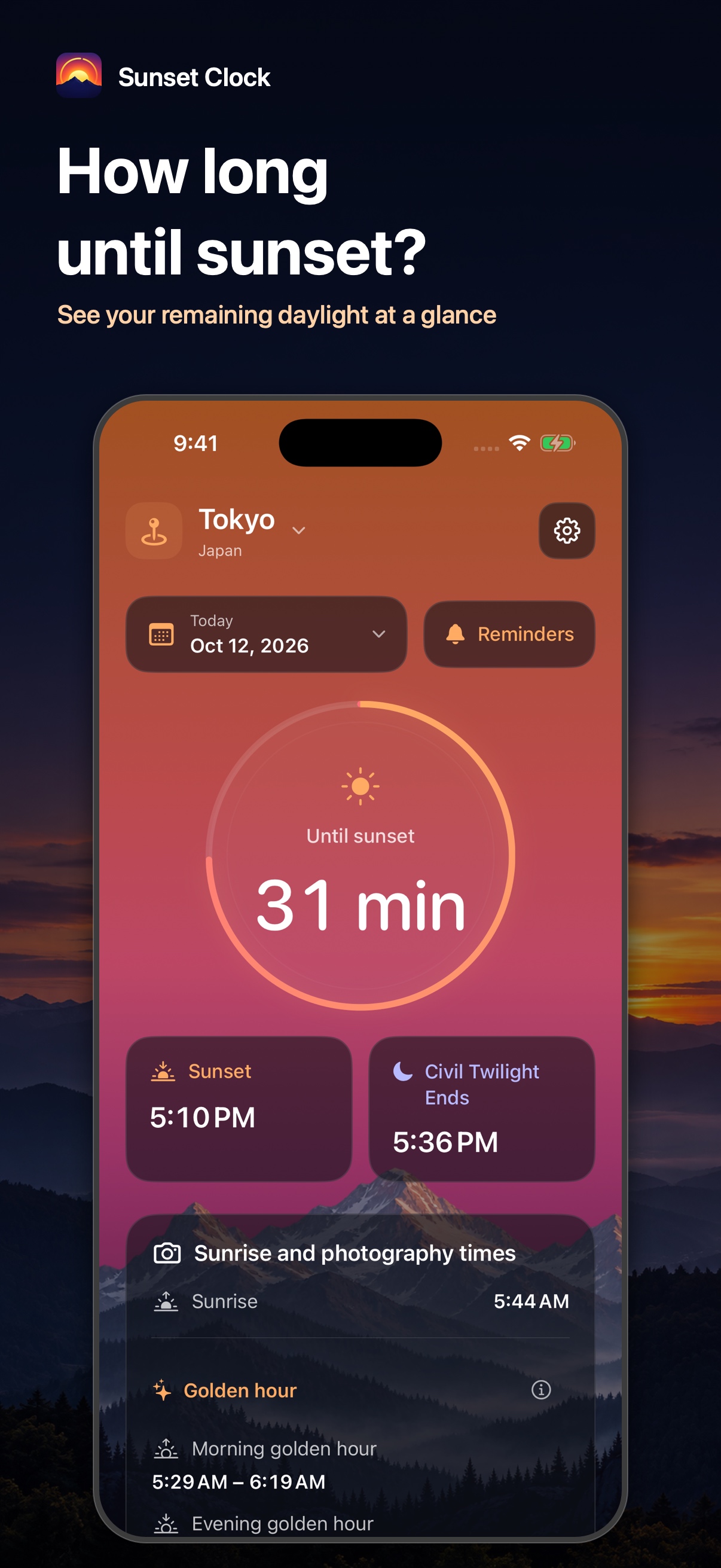
Time remaining at a glance
Before sunset, see the time left until sunset. Afterward, see the time remaining to the end of civil twilight, with both event times displayed alongside.
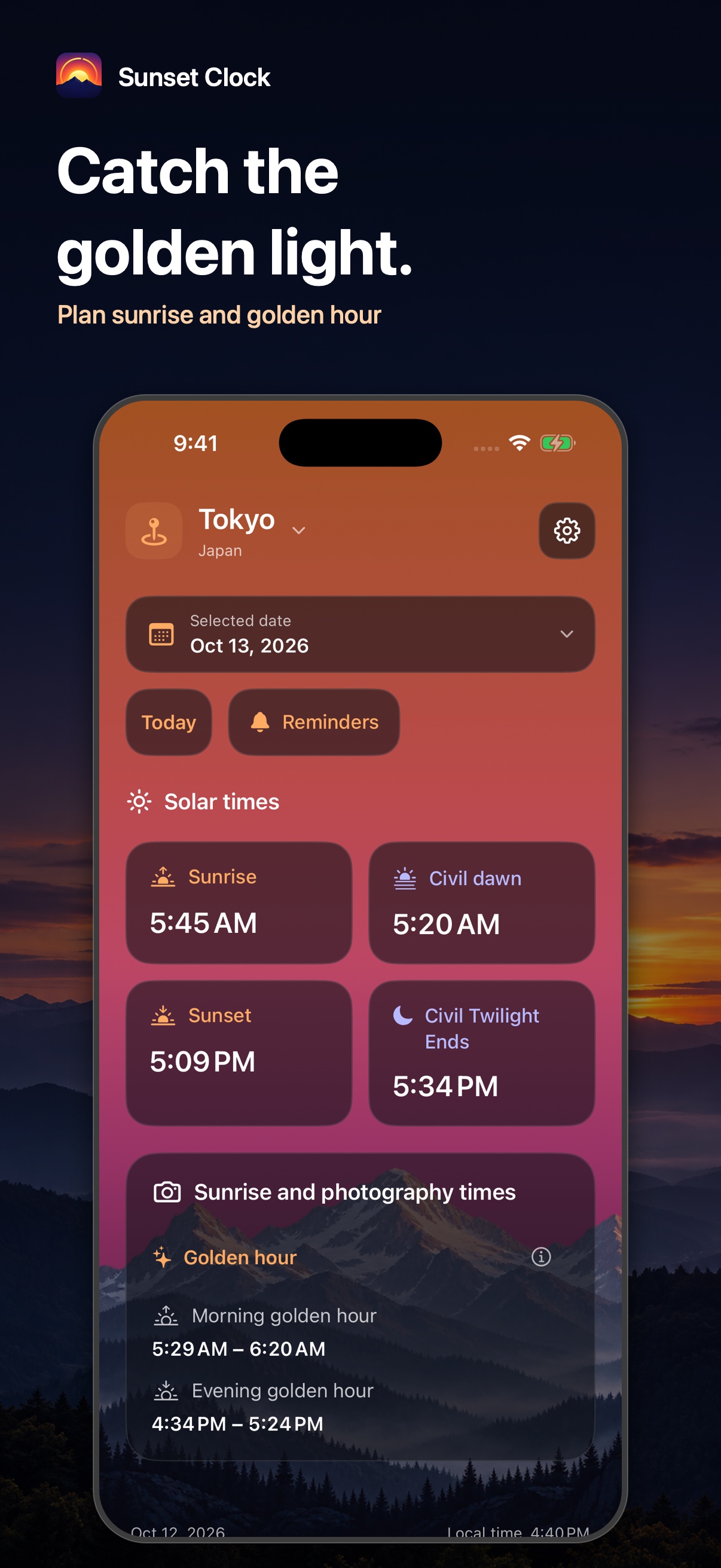
Morning and evening light
See sunrise and the morning and evening golden hour ranges together. Use them to plan a photograph in softer light.
Plan another day
Choose a date to see sunrise and sunset in that location’s local time. For dates other than today, the screen shows the day’s event times instead of a countdown.
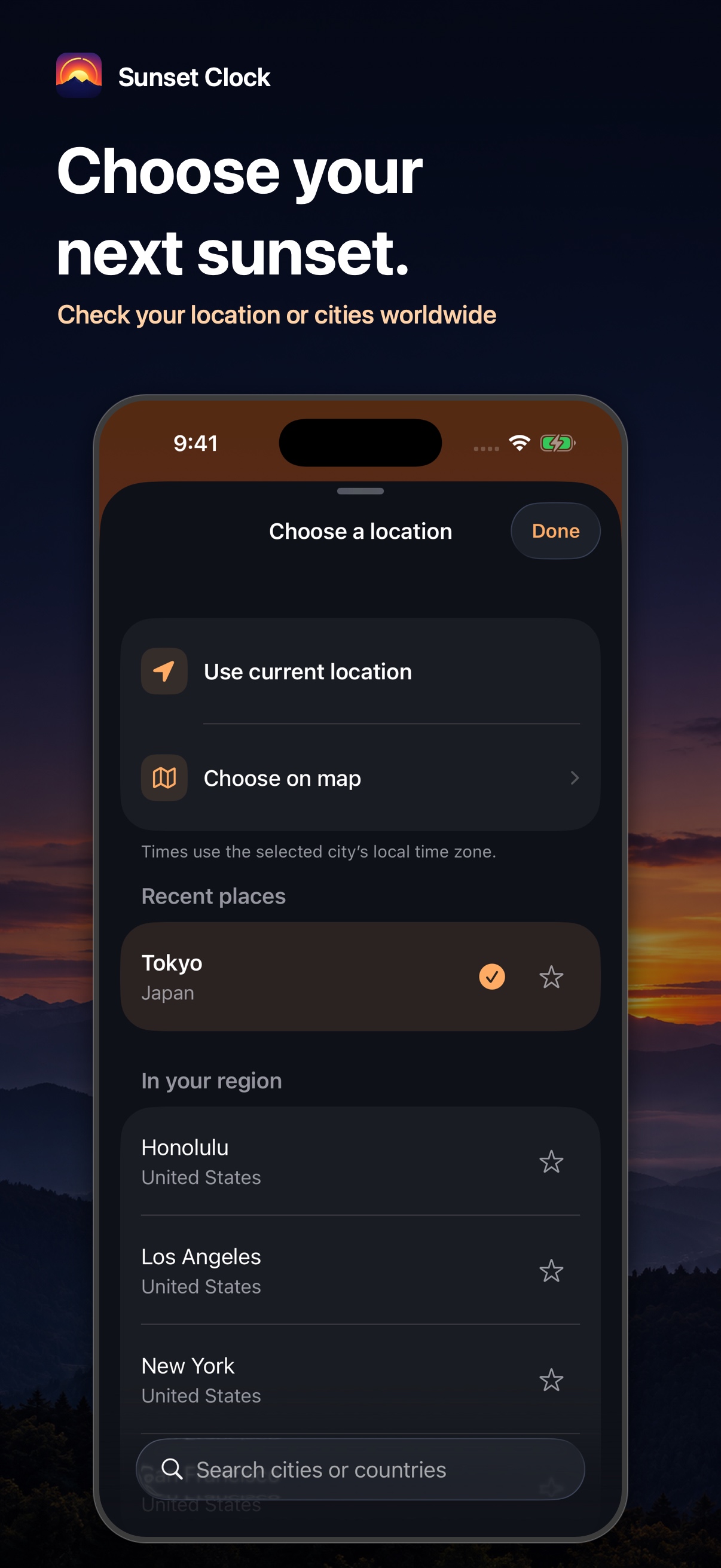
Choose your place
Use your current location, one of 51 cities worldwide, or a point on the map. Favorites and recent cities help you return to familiar places. Maps and place search need a connection.
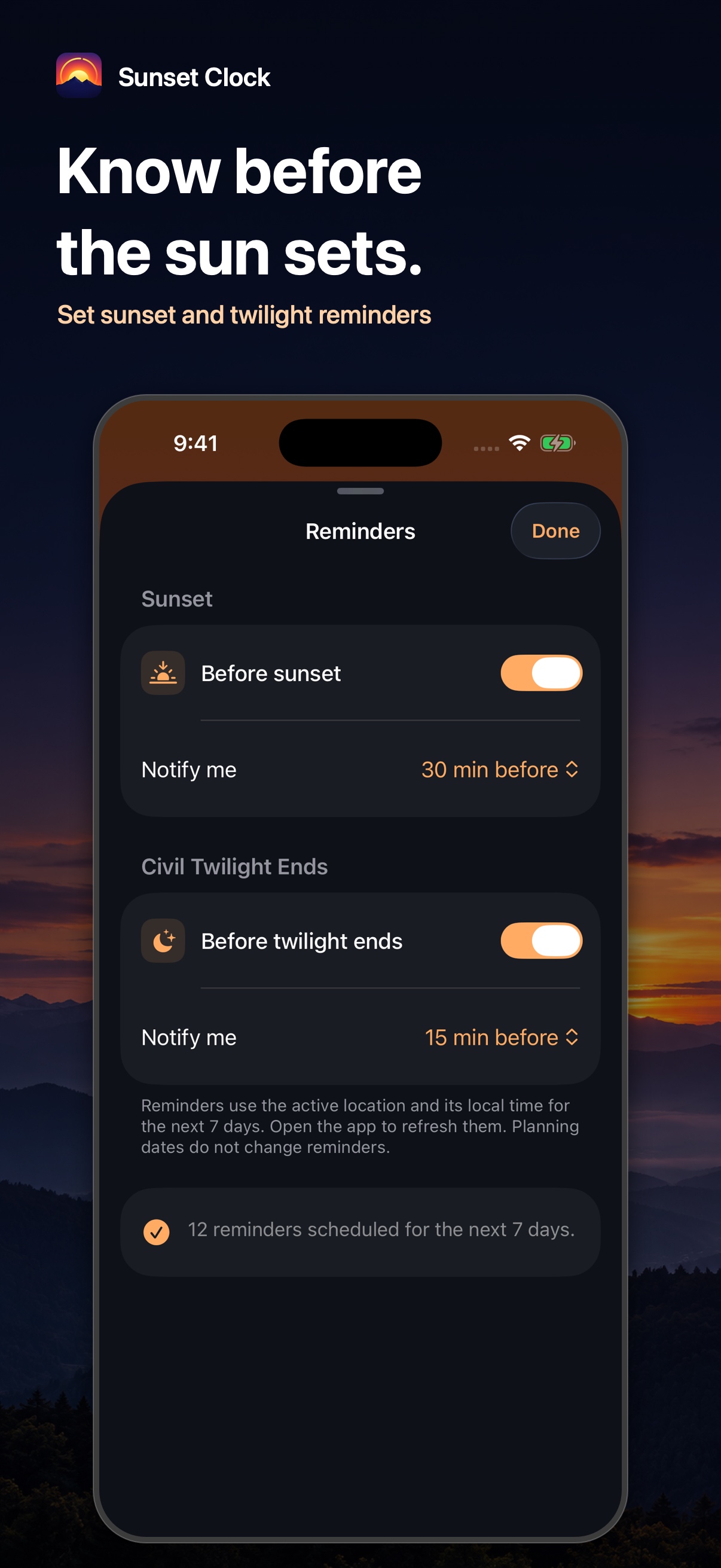
Sunset and twilight reminders
Choose 15, 30, or 60 minutes before sunset, or 5, 15, or 30 minutes before twilight ends. Schedule the next seven days for your active location and open the app to refresh them.
A glance from the Home Screen
Small and medium widgets show today’s remaining time and solar events for the place selected in the app. The medium widget also shows sunrise and the end of civil twilight.
SCREENSHOTS
A look at the new screens.
These introduction images use actual screens from the unreleased 2.0.0 preview. Locations, dates, displayed times, and reminder settings are examples prepared for the captures.
HOW TO USE
Choose a place. Check its daylight.
Choose a location
Use your current location or select a city. Version 2.0.0 also lets you choose a point on the map and save favorites.
Check the time and date
See today’s countdown. In 2.0.0, switch to another date to plan around sunrise, sunset, and the golden hours.
Add a reminder
In 2.0.0, choose how early to receive a sunset or twilight reminder. Allow notifications and open the app regularly to refresh the schedule.
SUPPORT
Help and contact
Common questions
Why are the App Store name and screens different?
This page previews version 2.0.0 under its new name, Sunset Clock. The currently available version 1.1.0 is Sunset Hiker. It does not yet include the new screens, maps and favorites, date planning, reminders, or widgets shown here.
Do I need to allow location access?
Only when you choose to use your current location. You can select a city without allowing location access. Change the permission in your iPhone’s Settings.
Can I use it without a connection?
Solar calculations, the built-in city list and search, and saved locations work offline. Current-location calculations use the coordinates your device can obtain. Maps, place search, and place-name or time-zone lookup may require a connection.
Will it be dark at the displayed time?
Sunset, twilight, and golden hour times are calculated estimates for a location and date. Terrain, buildings, and weather can change the light you see. Golden hour uses a solar altitude from −4° to +6°.
When do 2.0.0 reminders refresh?
The app schedules the next seven days for your active location when you open it or change the location or reminder settings. Changing the date you are viewing does not change reminders. If they do not arrive, also check your iPhone’s notification settings.
Which location does the 2.0.0 widget use?
It uses the place selected in the app and shows that location’s events for today. It does not switch to the date you are viewing for planning. Open the app to choose another place. iOS manages when the widget refreshes.
PRIVACY
Privacy policy
This explains how Resoto Apps handles information in Sunset Clock, formerly Sunset Hiker, and on this introduction page. Details about new features such as maps, favorites, reminders, and widgets describe the unreleased 2.0.0 version.
Updated:
Current location
When you choose your current location, the app requests permission to obtain latitude and longitude for solar calculations and the location display. It checks location while you use the app. Selecting a city does not require access to your current location.
Information stored on your device
The app saves your chosen city or map location, its name, coordinates and time zone, favorites, recent cities, and background and reminder preferences on your device. The active location is shared with the widget on the same device. The app has no cloud-sync feature of its own.
Apple maps and place search
Solar times are calculated on your device. Maps, place search, and place-name or time-zone lookup use Apple services, which may process search terms, coordinates, and related information. These features may need a connection.
Notifications
When you enable a reminder, the app asks for notification permission and schedules sunset or twilight notifications on your iPhone. Reminder preferences are stored on your device. Notifications are not sent from a developer-operated server. You can change permission in your iPhone’s Settings.
Developer access and your controls
The app does not send your location or saved places to the developer’s servers. It has no account registration, advertising, or analytics SDK. You can remove favorites in the app and manage location and notification permissions in your iPhone’s Settings.
This website and support
This introduction page has no analytics script. The hosting service may process information such as your IP address when delivering the page. If you use email or the form, the support contact and service providers process the information you submit. The form uses Google, and email is sent through the email services you use. Contact us below with questions about information handling.