
About the App
Make room for the tools you use on the trail.
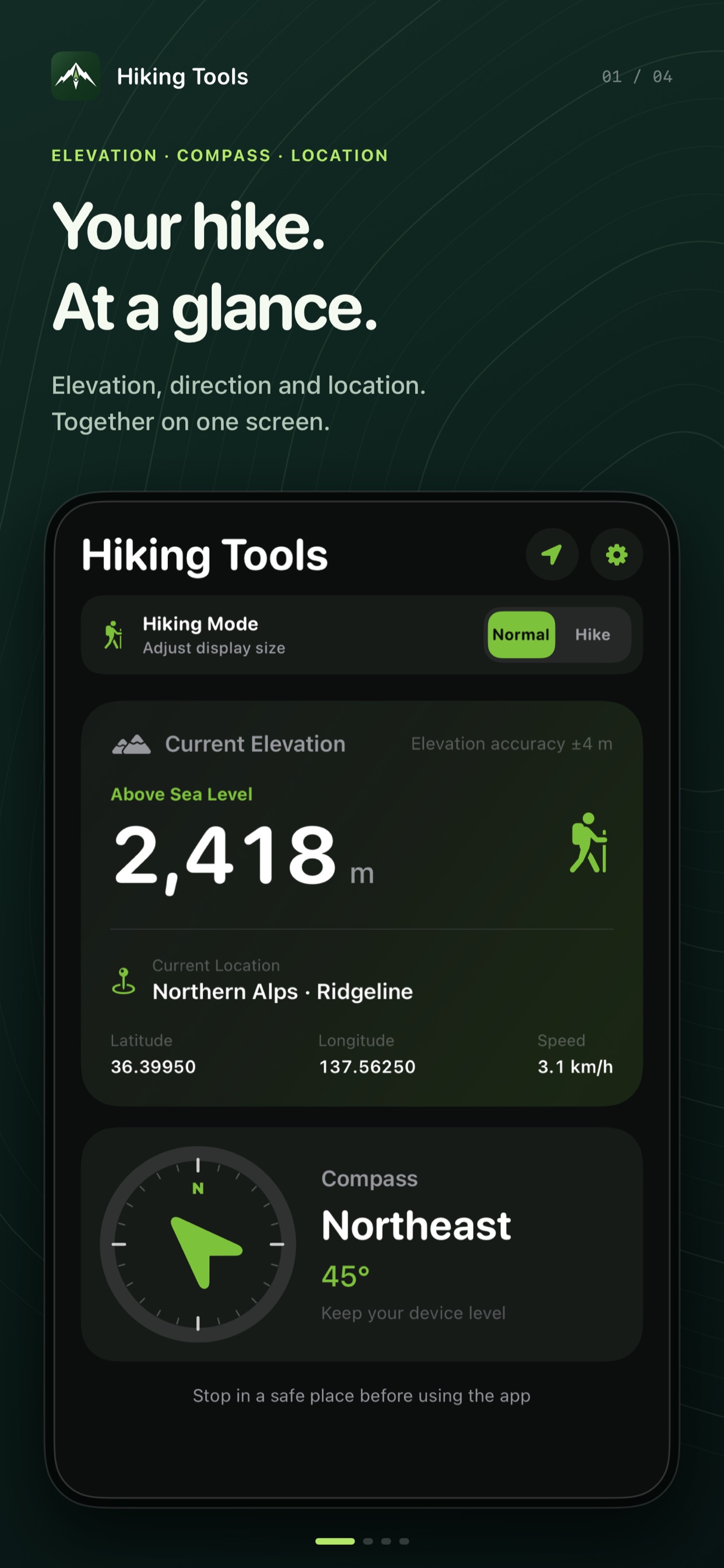
Hiking Tools brings an altimeter, compass, GPS hike log and bear bell together in one iPhone app. Select the tools you want to see and drag to change their order. Build a screen that fits the way you hike.
Show, hide and reorder. Simply.
Keep your favorite tools at the top and adjust your screen for each hike.
Choose what you see
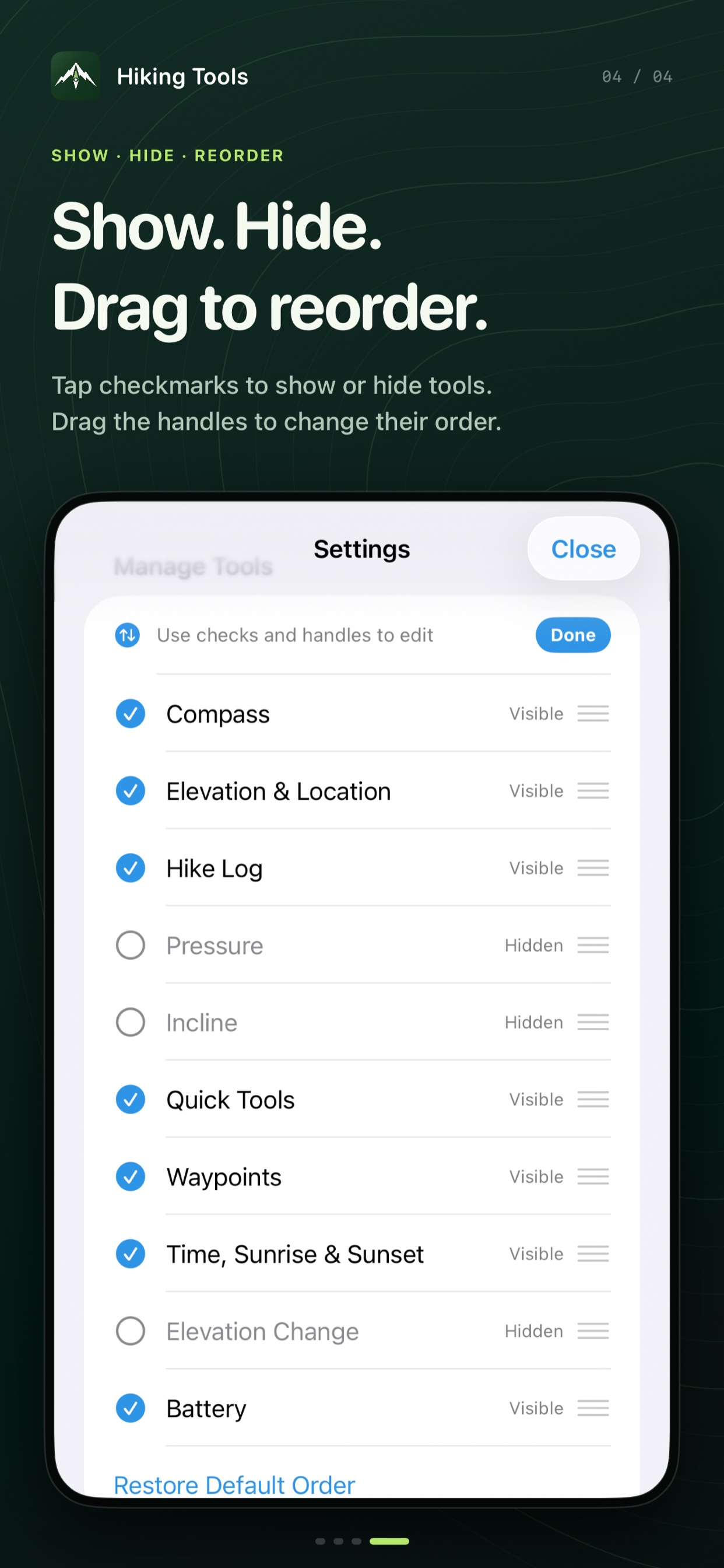
Open tool management in Settings and select the tools you need. Hide the ones you do not use.
Drag to change the order
Drag the reorder handles in the editing view. You can restore the default order at any time.
See the app in action
Select an image to view it at full size.
Key Features
- Location and altitude: View altitude, place, latitude, longitude, and movement speed together.
- Hiking sensors: Check the compass, device incline, pressure, and altitude change since launch.
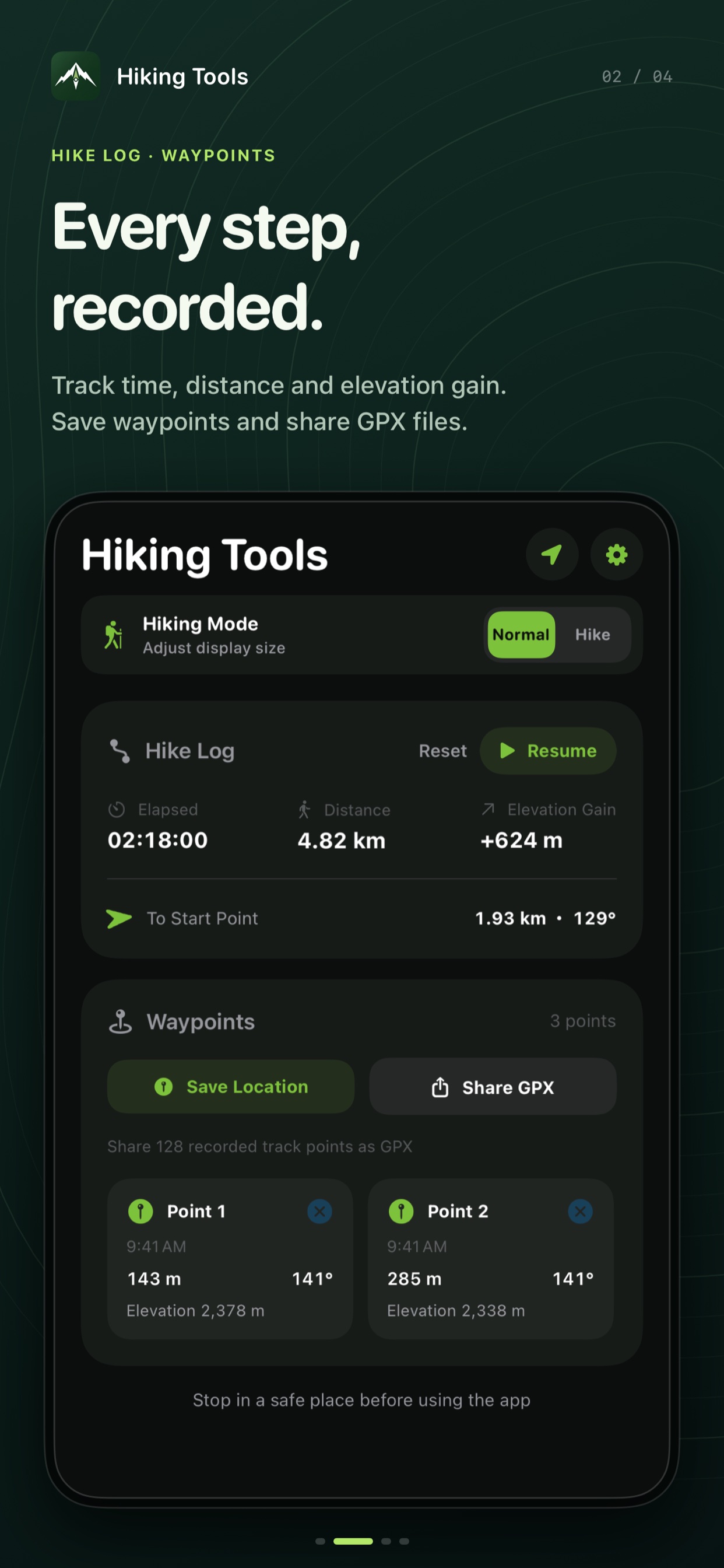
- Trip log: Track elapsed time, distance, and ascent, plus the distance and bearing back to your starting point.
- Waypoints and GPX: Save locations such as junctions and summits, then share your track as a GPX file.
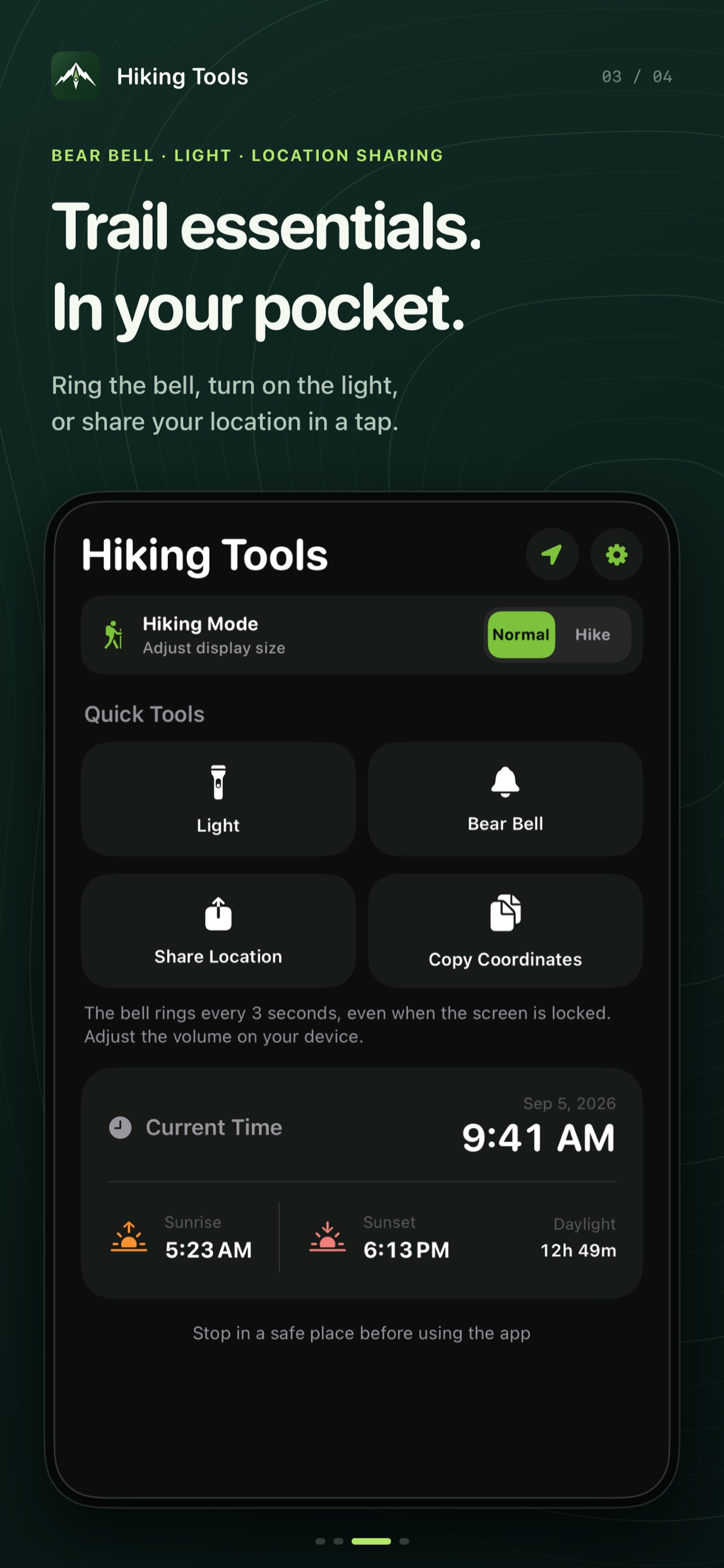
- Sunrise and sunset: Calculate sunrise, sunset, and daylight duration on the device from your current location and date.
- Hiking Mode: Enlarge important values and controls for easier reading outdoors.
- Customizable dashboard: Tap to show or hide tools and drag to reorder. Choose from three color themes and light or dark appearance.
- Quick tools: Use the bear bell, flashlight, coordinate copy and location sharing. The bear bell can keep playing with the screen locked.
Available in 9 languages
Japanese, English, Simplified Chinese, Traditional Chinese, Spanish, Portuguese, Russian, Indonesian and Arabic.
Safety Notice
This app is a hiking aid and does not replace a paper map, dedicated hiking map, compass, or other safety equipment. Sensor readings may vary depending on the device and surrounding conditions. Always stop in a safe place before operating your phone.
Support Center
Contact us for help using the app, bug reports, or other questions.
📋 Contact via Form
Open Form →FAQ
Q. Does it work offline?
A. Core GPS and sensor features, including sunrise and sunset calculations, work offline. Place-name lookup and the services you select for sharing may require a connection.
Q. Can altitude and heading readings vary?
A. Yes. Accuracy depends on GPS reception, pressure, how the device is held, and nearby magnetic interference. Use multiple sources when making safety decisions.
Q. What is Hiking Mode?
A. It enlarges key values and controls so information is easier to read when you stop to check the app during a hike.
Q. How do I show, hide or reorder tools?
A. Open tool management in Settings and enter the editing view. Use the checkmarks to show or hide tools, and drag the reorder handles to change their order.
Q. Does the bear bell play with the screen locked?
A. While playing, the bell sounds about every three seconds, even with the screen locked. Adjust its volume using your device. Calls and other interruptions may stop playback. It does not guarantee protection from bear encounters.
Privacy Policy
This privacy policy describes how Resoto Apps ("we") handles user information in the Hiking Tools smartphone app ("the app").
1. Device Information Used
To provide its features, the app uses the device's current location (latitude, longitude, altitude, and speed), heading, motion, pressure, and battery level.
2. Purpose of Use
This information is used to display or calculate location, altitude, compass direction, incline, pressure, trip logs, sunrise and sunset, and battery level within the app.
3. Storage
Waypoints and display settings are stored on the user's device. GPX files are created on the device when the user chooses to share them.
4. Third-Party Transmission
The app does not send or store device information on the developer's servers. Information is passed to another app or service only when the user explicitly selects Location Sharing or GPX Sharing and chooses a destination in the iOS share sheet.
5. Personal Information
The app does not collect names, addresses, email addresses, account information, or other personal information.
6. Contact
For questions regarding this policy, please contact:
Effective Date: August 25, 2026